



Operating an independent art toy boutique without a synchronized e-commerce presence is leaving 60% of your potential revenue on the table. In 2026, the modern “Kidult” consumer demands a frictionless Omnichannel experience. They want to discover a product on TikTok, check its availability on your Shopify website, and drive to your physical store to buy it instantly.
However, running a hybrid business model (O2O – Online to Offline) introduces a terrifying operational hazard: Inventory Desynchronization. Blind boxes are fast-moving, high-hype commodities. If you receive a wholesale shipment of Pop Mart MEGA figures from คิดัลท์ส์บ็อกซ์ and sell your last unit to a walk-in customer at 2:00 PM, but your website still says “In Stock” at 2:05 PM, you have created a ghost sale. You will be forced to cancel an online order, pay merchant penalty fees, and face the wrath of an angry collector.
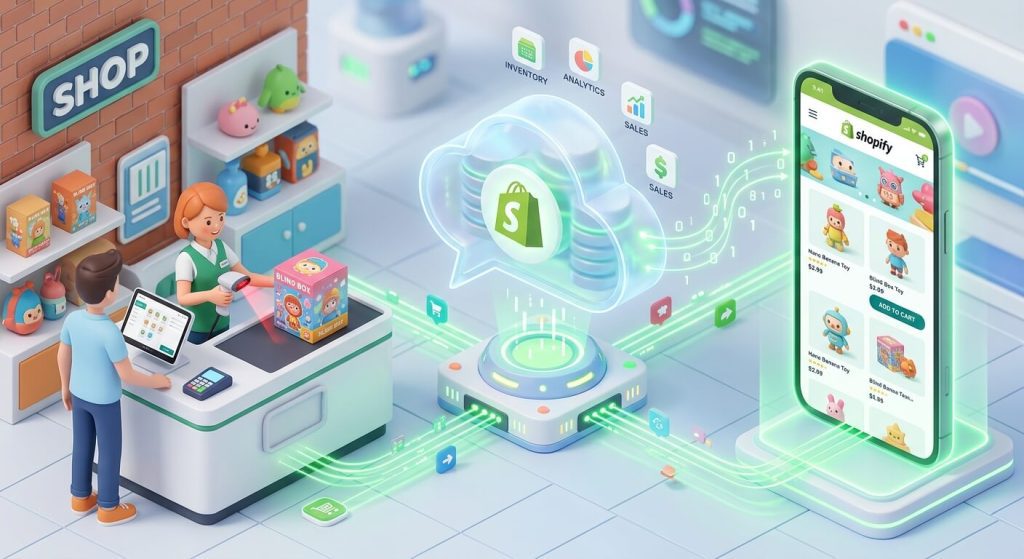
To survive and scale, your physical cash register and your online Shopify database must operate as a single, flawless nervous system. This comprehensive B2B technical whitepaper will guide you through the exact hardware, barcode protocols, and software setups required to build a bulletproof omnichannel toy empire.
1. The “Ghost Sale” Nightmare: Why Real-Time Syncing is Mandatory
Many novice retailers attempt to run their physical store using a generic POS (like a basic Square terminal or an old cash register) while manually updating their Shopify inventory at the end of the night via a spreadsheet. In the blind box industry, this is financial suicide.
The High-Stakes Dilemma:
Imagine you open a blind box display and discover an ultra-rare “Secret” Chase figure (e.g., a Baby Three Hidden Edition). You list it on your Shopify store for $180, and you also place it in the glass cabinet at your physical store.
A customer walks in and buys it with cash. If your POS system doesn’t instantly talk to Shopify, that $180 figure is still live online. Ten minutes later, a customer in another state buys it online. You now have a “Ghost Sale.” You must refund the online buyer, which damages your Shopify Seller Trust Score, incurs unrecoverable credit card processing fees (~2.9%), and generates a scathing 1-star Google review.
To prevent this, you must migrate your entire physical retail operation to a POS system that shares a single backend database with your e-commerce platform.
2. Hardware & Software: Choosing the Right Ecosystem
There are dozens of POS systems on the market, but for independent art toy retailers heavily reliant on e-commerce, the choice usually narrows down to two heavyweights.
| Feature / System | Shopify POS Pro | Square for Retail (Integrated) |
|---|---|---|
| Inventory Syncing | Flawless. It is native. A sale at the physical register instantly deducts from the website inventory in less than 1 second. | Good, but requires third-party API bridging (like SKU IQ). Can experience lag during high-traffic drops. |
| Loyalty Program Unification | Native. A customer’s online purchases and in-store purchases count toward the same VIP tier seamlessly. | Fragmented. Square Loyalty does not always map perfectly to Shopify customer accounts. |
| BOPIS (Buy Online, Pick Up In-Store) | Built-in. Customers choose “Local Pickup” at online checkout; an alert immediately pops up on the store’s iPad POS. | Requires complex workarounds and manual tagging. |
| Hardware Ecosystem | Sleek, modern. The “Shopify POS Go” mobile terminal is perfect for line-busting during busy comic-cons. | Extremely cheap hardware, highly accessible, but feels slightly less premium. |
The KidultsBox Verdict: If your online sales account for more than 30% of your revenue, Shopify POS Pro is the undisputed champion. Do not try to staple two different systems together; unify your tech stack.
3. The Blind Box SKU Architecture (The Hardest Part)
The primary reason generic inventory guides fail toy retailers is because they do not understand the “Russian Nesting Doll” nature of blind box packaging. When you buy from KidultsBox, you receive a Master Carton. Inside are End Boxes. Inside those are Single Boxes. If a customer buys a single box, how does the system know what to deduct?
The “Parent-Child” Fractional Inventory Setup
If you sell full cases and single boxes of the same series, you must use inventory fractionalization. Shopify natively struggles with this, so you must use a bundling app like “Bundles” by Shopify or a third-party app like “Matrixify.”
- The Parent SKU:
PM-SKULL-S1-CASE(A full case of 12 Pop Mart Skullpanda figures. Price: $180. Inventory: 10 Cases.) - The Child SKU:
PM-SKULL-S1-SGL(A single box. Price: $16.)
The Rule: You link the Child SKU to the Parent SKU. You tell the system: “1 Parent = 12 Children.” When a customer buys 1 Single Box at your physical register, the system automatically breaks open a virtual case, changing your inventory to: 9 Cases, and 11 Single Boxes remaining. This prevents the nightmare of having to manually adjust stock at the end of the night.
4. The Custom Barcode Protocol for “Confirmed” Figures
Here is a critical warning for all physical retailers: Every blind box in a specific series has the exact same manufacturer barcode (UPC) printed on the bottom.
If you open a box and find a rare $100 “Secret” figure, you CANNOT scan the original cardboard box at the register. The system will ring it up as a standard $15 blind box, and your inventory will be hopelessly corrupted.
How to Fix This in Shopify POS:
- Create a “Variant” Product: In your Shopify Admin, go to the product series and add a Variant called “Confirmed – [Character Name]”. Set the price to the premium secondary market value (e.g., $100).
- Generate a Custom Barcode: Do not use the manufacturer UPC. Use Shopify’s “Retail Barcode Labels” app to generate a custom internal barcode (e.g., a Code-128 barcode).
- Print and Tag Safely: Print the barcode using a thermal label printer (like a Zebra or Dymo). Crucial: Never stick this label directly on the vinyl figure. Stick the barcode onto a clear acrylic display case or a small zip-lock baggie containing the opened figure and its ID card.
- The Scan: When the customer brings the acrylic case to the register, your cashier scans your custom barcode. Shopify instantly deducts that exact rare figure from your online store, preventing a ghost sale.
5. BOPIS: The Ultimate Foot Traffic Driver
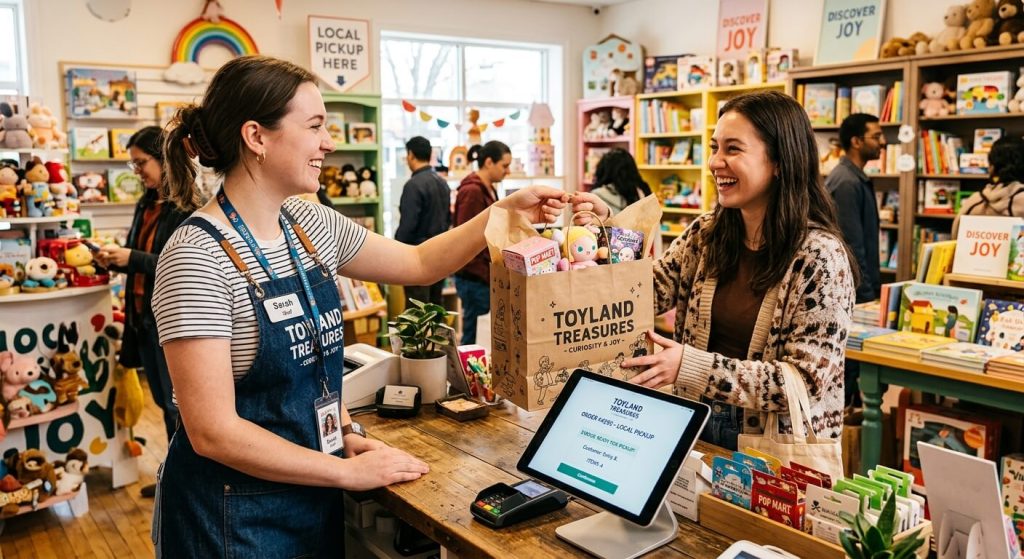
BOPIS stands for Buy Online, Pick Up In-Store (also known as Click & Collect). In 2026, this is the most powerful tool for independent toy boutiques.
Why do collectors love BOPIS? Because it secures their highly-coveted inventory (guaranteeing they get the คิมมอน พลัช before it sells out) without forcing them to pay $8 for shipping and wait three days.
The BOPIS Workflow for Toy Stores:
- The Hype Drop: You announce a new KidultsBox wholesale drop on your Instagram for 6:00 PM.
- The Purchase: A local customer frantically buys a full case online at 6:01 PM and selects “Local Pickup at Downtown Store.”
- The Fulfillment Alert: An alert pops up on your store’s Shopify POS iPad. Your cashier immediately walks to the shelf, removes the case, puts it in a shopping bag, and taps “Ready for Pickup.”
- The Upsell Opportunity: When the customer arrives the next day to pick up their bag, they are already in a great mood. This is when your staff executes the in-store upsell: “Hey, your order is ready! By the way, we just got some new acrylic display cases in today, and we also have an open Trading Board if you want to swap any duplicates you pull from that case.”
6. Ingesting Wholesale Data: The CSV Import Strategy
When you receive a pallet of 500 blind boxes from KidultsBox, manually typing the product descriptions, SKUs, and prices into Shopify will take days. You must master the CSV Bulk Import.
As a premium B2B distributor, KidultsBox provides verified retail partners with detailed product data sheets. These sheets include the factory UPCs, English product titles, suggested MSRPs, and links to high-resolution product imagery.
The Workflow: You take the KidultsBox data sheet, format it to match Shopify’s standard CSV import template, and upload it. Within 5 minutes, 50 new products are perfectly populated across your e-commerce site and your physical POS system simultaneously, complete with barcodes ready to scan. You can have a new pallet unpacked and live on the sales floor in under two hours.
7. Managing “Offline-Only” and “Online-Only” Stock
Sometimes, you do not want your systems to be 100% synchronized. For example, if you have a highly sought-after “Secret” figure on display, you might want to use it as a “Traffic Magnet”—forcing people to visit your physical store to buy it, rather than letting an online buyer snatch it up from across the country.
The Location Settings Hack:
In Shopify, you can manage inventory by “Location.” Create two locations: “Online Warehouse” และ “Downtown Retail Store.” Assign the Secret figure’s inventory strictly to the “Downtown Retail Store” location, and disable the setting that allows online orders to pull from that location. The product will show up on your website, but it will clearly display: “Available In-Store Only.” This creates massive local FOMO.
คำถามที่พบบ่อย (FAQ)
Q: What happens if the internet goes down in my physical store?
A: This is a major concern at crowded events like Comic-Cons or during ISP outages. Shopify POS Pro features a robust Offline Mode. You can continue scanning barcodes and accepting cash transactions. The system queues the sales locally on the iPad. The moment your Wi-Fi is restored, the POS silently uploads the queued sales to the Shopify server, reconciling your online inventory automatically.
Q: I sell blind boxes via TikTok Live. How does that sync with my store?
A: If you use the official TikTok Shop integration app in Shopify, your inventory is tethered across all three nodes (Physical Store, Web Store, TikTok). If you “Rip and Ship” a box live on TikTok, the app immediately communicates the sale back to your master Shopify database, ensuring your physical cashier cannot accidentally sell that same box five minutes later.
Q: Do I really need an expensive barcode scanner?
A: For a blind box store, ใช่. Do not rely on the iPad’s built-in camera to scan barcodes; it is too slow and struggles with the glossy, curved foil of blind box packaging. Invest in a dedicated 2D Bluetooth Imager Scanner (like a Zebra or Socket Mobile). They can instantly read tiny, dense barcodes off highly reflective surfaces, eliminating checkout lines on busy weekends.
Q: Can KidultsBox provide barcodes for their products?
A: Yes! All standard blind boxes supplied by KidultsBox feature official factory EAN/UPC barcodes printed on the outer packaging. We can provide these numerical codes in advance via CSV so you can prepare your POS database before the physical shipment even arrives at your loading dock.